Translate any screen. Stay where you are.
Double-tap your iPhone's back to translate foreign text on screen in 2 seconds. No app switching, no copy-paste — translations overlay right on the original interface.

iOS 16+ · 5 free translations · No ads
HOW IT WORKS
Tap the back
Double-tap the back of your iPhone to trigger a screenshot via iOS Shortcuts. Works the same whether you're gaming, shopping, or browsing social media.
AI translates
On-device OCR accurately detects all text on screen. The DeepL engine translates everything into your target language — the whole process takes about 2 seconds.
Read & ask
Translations overlay the original text while preserving the interface layout. Confused about something? Ask the AI for context, cultural notes, or grammar explanations.
FEATURES
Immersive translation overlay
Translations are placed precisely over original text, preserving the interface layout perfectly. This isn't simple text replacement — Translay analyzes each line's position and size to present translations in the most natural way. It feels less like a translation tool and more like the content was written in your language all along.
15+ languages supported
Freely translate between Chinese, Japanese, Korean, English, Russian, German, French, Spanish, Italian, Portuguese and more. Powered by the DeepL engine — consistently top-rated in professional translation benchmarks. Whether it's a Japanese game UI, a Korean shopping page, or French news, Translay handles it all.
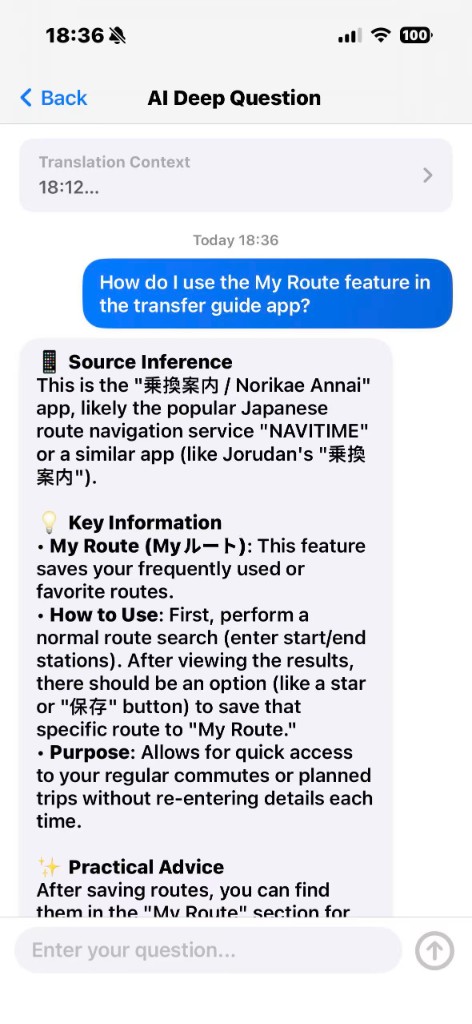
AI deep questions
Translation is just the beginning. When you encounter something confusing, ask the AI directly. It can explain cultural context, analyze sentence structure, offer synonyms, and even decode slang or internet lingo. Like having a multilingual tutor in your pocket.
Privacy first
OCR text recognition runs entirely on-device — your screenshots never leave your phone. Translation requests are encrypted end-to-end, and we store nothing. Your screen content remains yours and yours alone.
APP PREVIEW
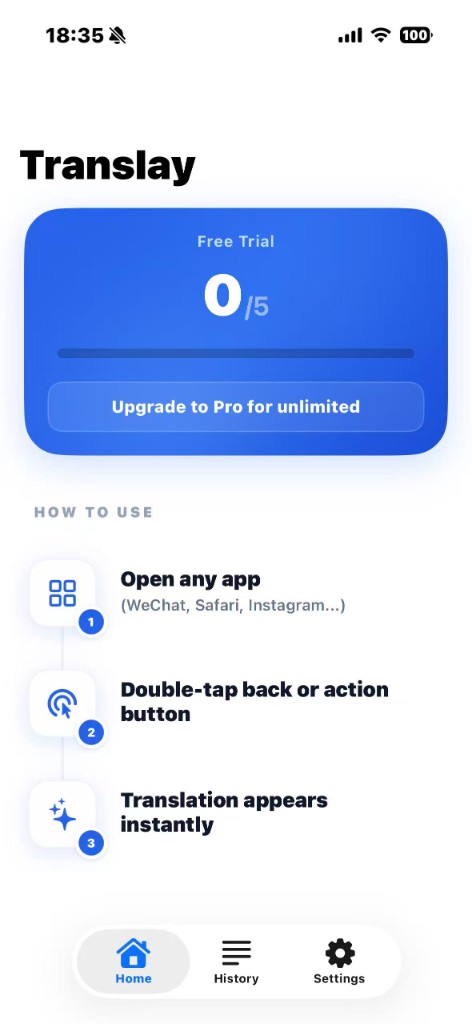
Home overview
Clean, intuitive home screen — start translating with one tap
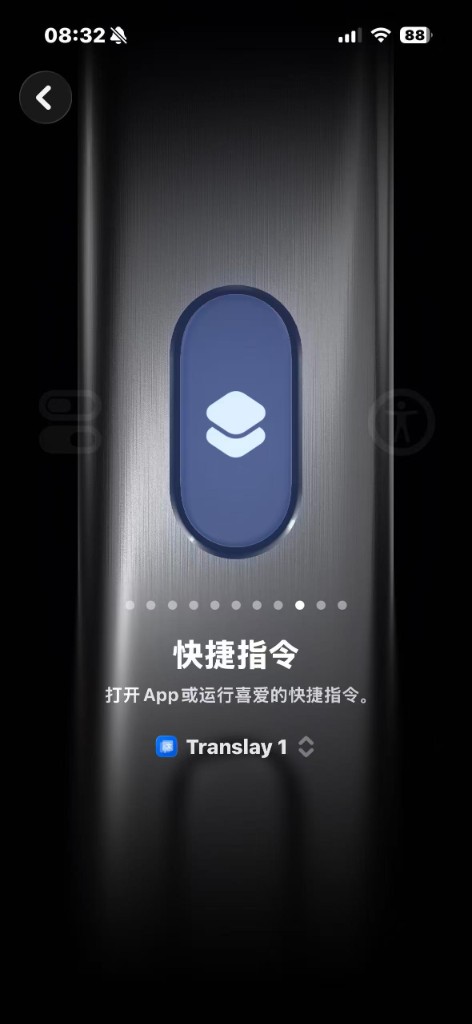
Shortcut trigger
Use iOS Shortcuts — double-tap your back to screenshot and translate
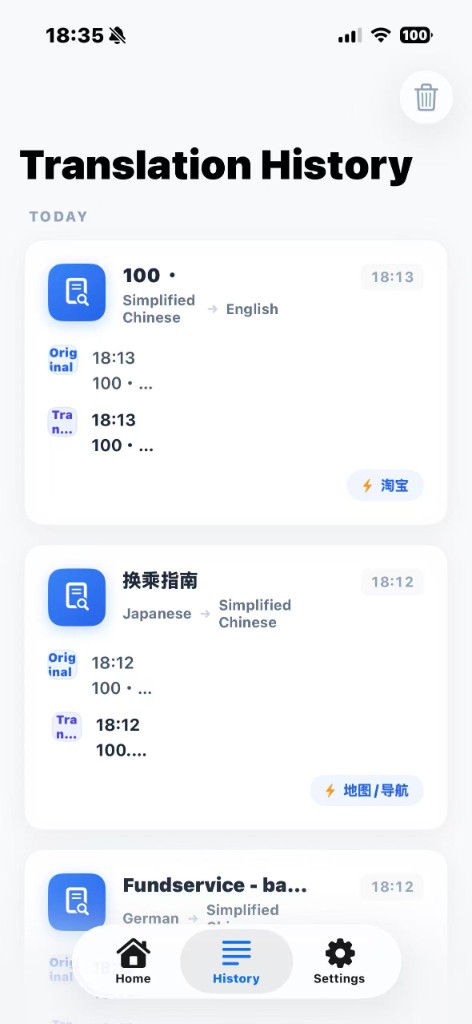
Translation history
All translations saved automatically for easy lookup later
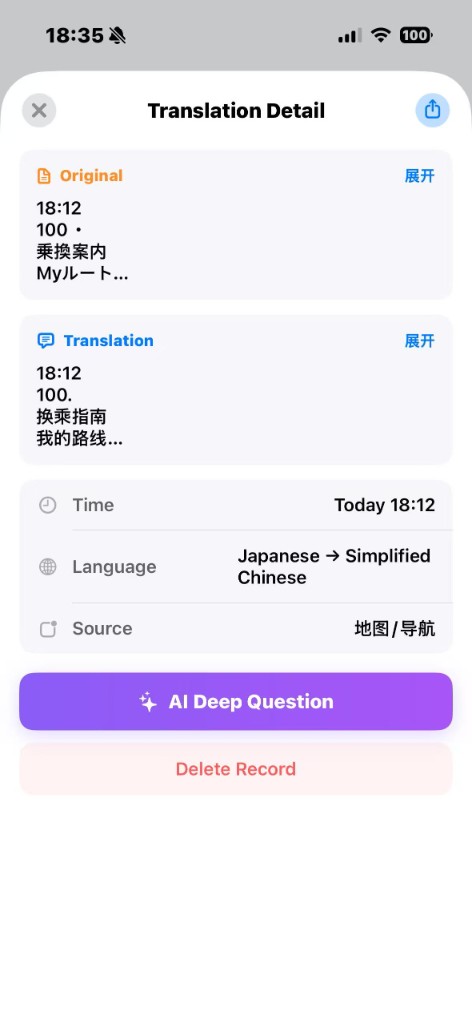
Translation detail
Side-by-side original and translation, with line-by-line analysis
AI deep chat
Context-aware AI conversations based on your translated content
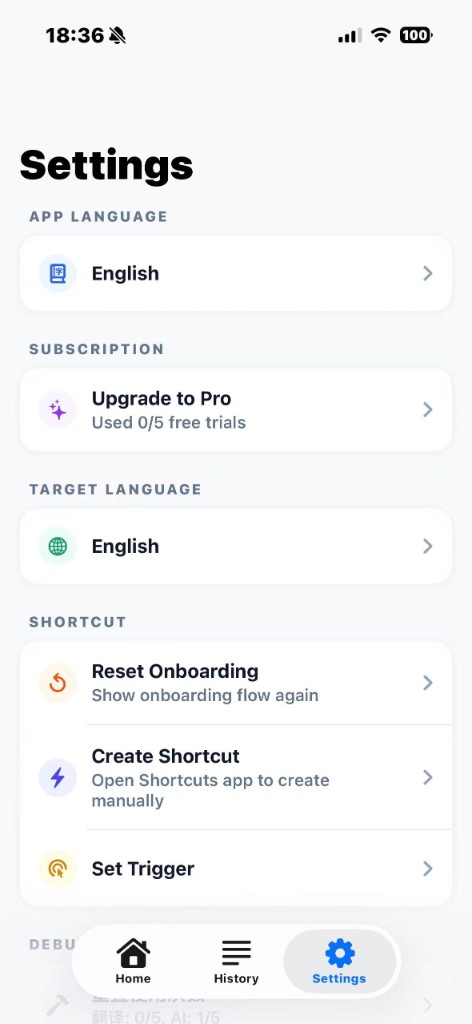
Flexible settings
Customize translation language, AI model, and more
PRICING
Free
- 5 free translations
- 5 AI questions
- All 15+ languages
- Translation history
- On-device OCR
Pro
- Unlimited translations
- Unlimited AI questions
- Priority server
- Early access to new features
- Priority email support
The interface should be invisible.
Users should feel like they're using magic, not software.